

FileDrop - Secure File Upload & Collection
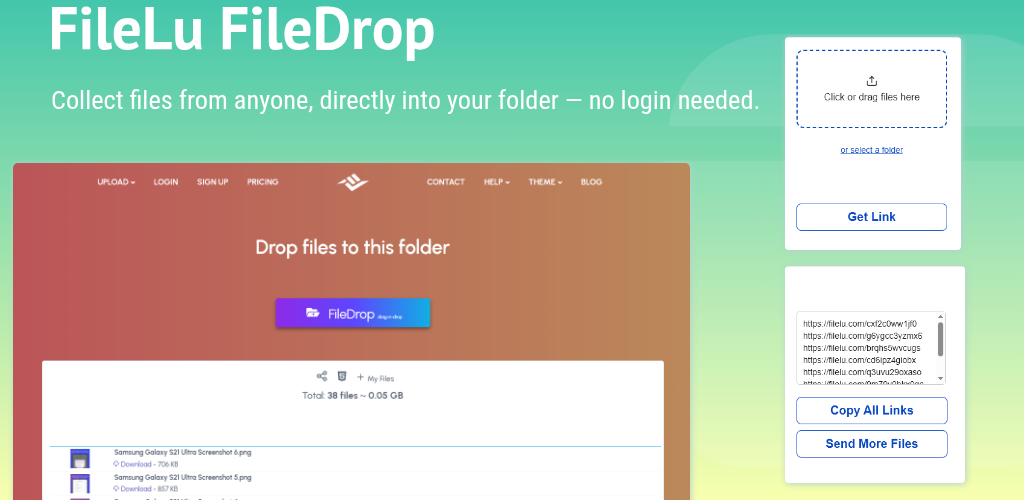
Introducing FileDrop: Seamless Collaboration
FileDrop allows anyone to upload files directly into your designated FileLu cloud storage folders without needing to create an account or log in.
This makes it convenient for receiving files from clients, team members, external collaborators, friends, or family.
Perfect for professionals, freelancers, educators, and businesses, FileDrop simplifies the file collection process. After enabling FileDrop on a folder, you can share a public upload link or generate an HTML embed code to add a secure upload box directly on your website.
Uploaded files are instantly available in your FileLu account, and you’ll receive an email notification with file names, sizes, and timestamps whenever someone uploads files to your folder.
How to enable FileDrop
- Go to My Files.
- Click the icon next to the folder.
- Choose Folder Setting / Edit and toggle ON FileDrop.
- After enabling, click the link icon or folder upload icon to open the folder’s public page.
- Click the HTML icon to get an iframe embed code.
- Paste the iframe code into your website to allow direct uploads.
- When someone uploads files to your folder, you will receive an email notification.
Simple and secure file collection
Overview
Trusted by 146,000+ users worldwide.
Secure, scalable cloud storage with the tools, apps and encryption you need, and no hidden fees. Start free and grow to a petabyte.